For dental practices using Dentrix

Treatment plans your patients actually understand.

CaseAura turns the treatment plan you already built in Dentrix into a clear, clinician-approved 3D presentation — ready for the chair in about a minute, with nothing retyped.

The demo uses fictional patients only. No sign-up needed.

CaseAura presentation showing a 3D cross-section of tooth #18 with enamel, dentin, pulp and roots labelled

How it works

From Dentrix to the chair in three steps.

  1. 1

    Export from Dentrix

    Print the Patient Treatment Case Report from the Treatment Planner and save it as a PDF — the plan you already built.

  2. 2

    Verify on one screen

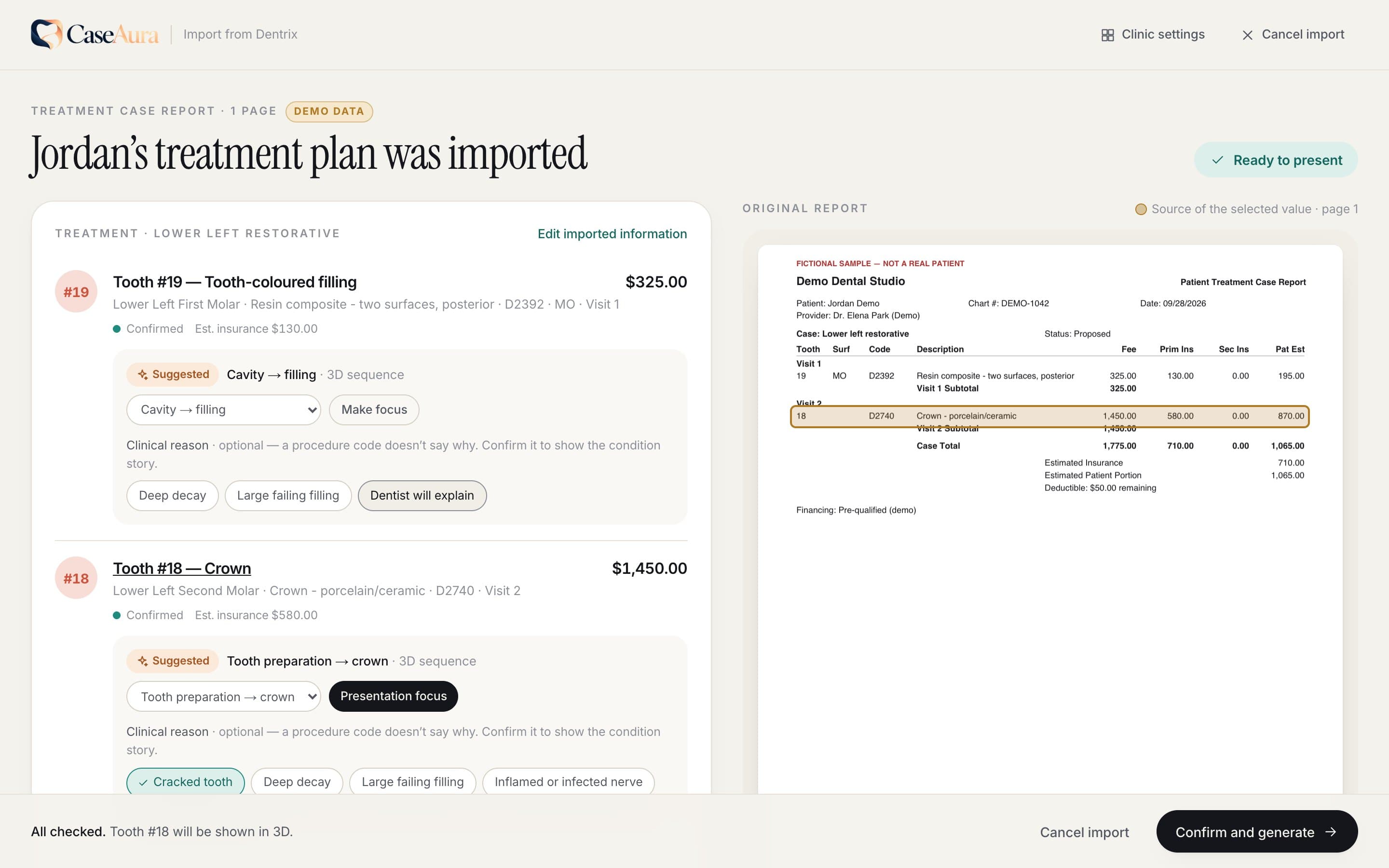
    Teeth, procedures, visits, fees and insurance estimates are read for you. Anything unclear is flagged beside the original report — never guessed.

  3. 3

    Present in 3D

    After clinician approval, walk the patient through their tooth, the treatment, and the investment — calmly, in plain language.

One review screen replaces the long form.

The imported plan sits beside the original report. Clean imports are marked “Ready to present”. Anything the coordinator should look at — unclear numbering, totals that don’t add up, a second treatment option — is flagged with a one-tap fix.

  • Universal and FDI numbering, confirmed — never assumed
  • Primary and secondary insurance estimates
  • Multi-visit and multi-page treatment cases
  • Suggested 3D visuals for each procedure
The CaseAura review screen: imported procedures, fees and insurance estimates beside the original treatment case report

3D Treatment Story

Show what’s happening inside the tooth — and how you’ll fix it.

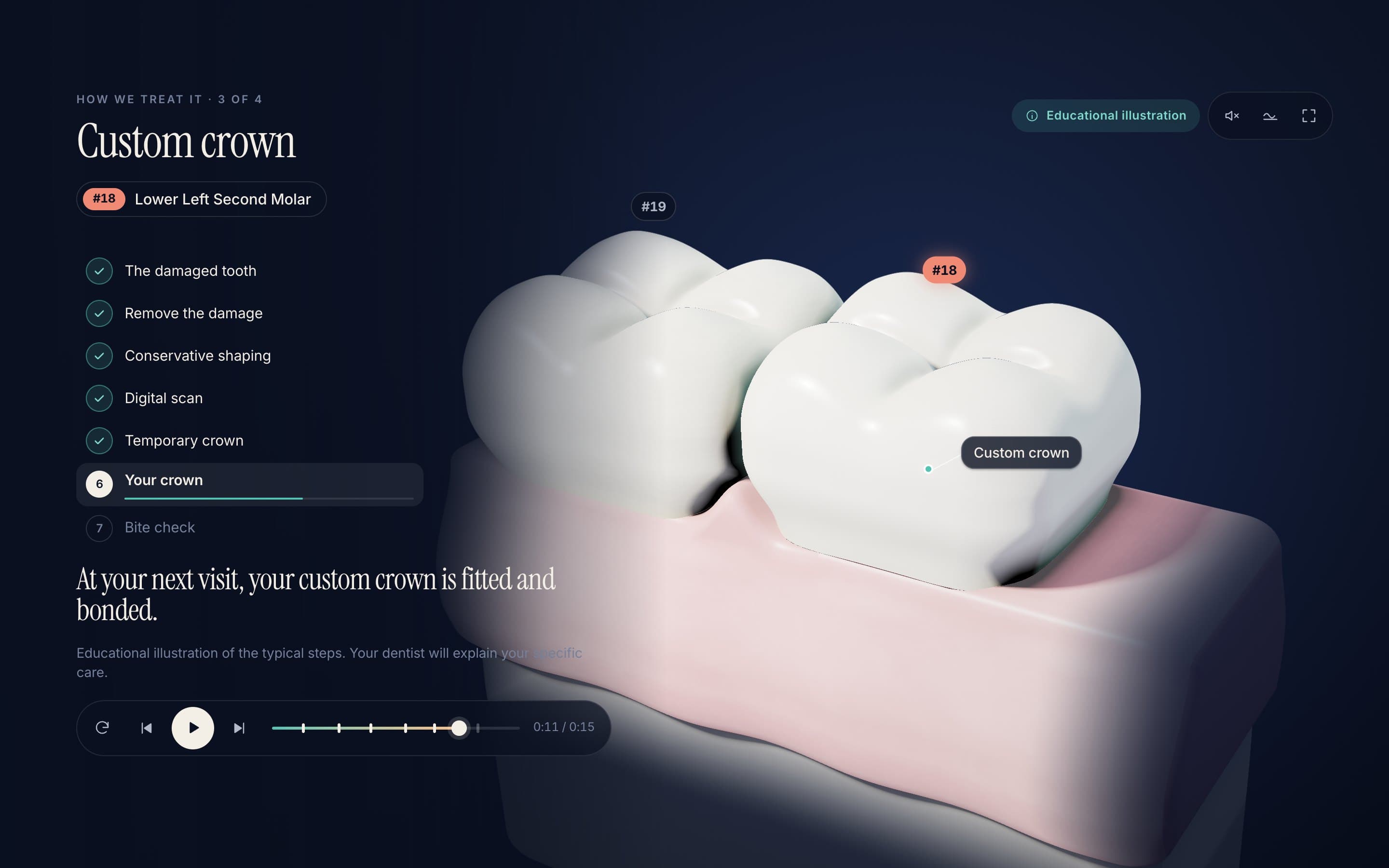
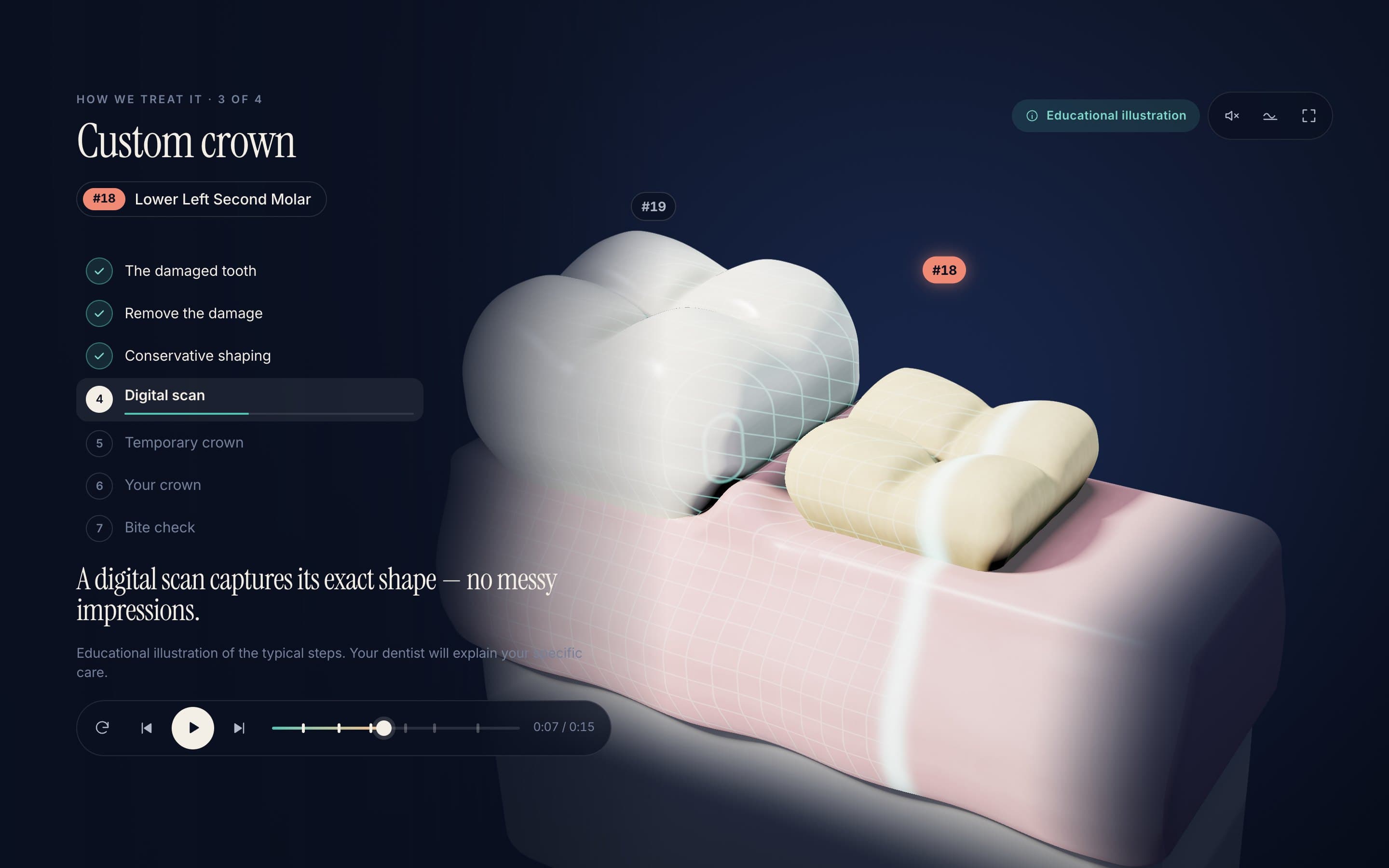
Anatomically modelled from the tooth’s own measurements and its real neighbours in the chart. Cavities, cracks, root canals, crowns and implants — step by step, with calm captions your dentist can talk over.

Filling — Decay removed conservatively, then rebuilt in tooth-coloured layers.
Digital scan — The prepared tooth is captured before the custom crown is made.
Crown — The final crown seats onto the prepared tooth.
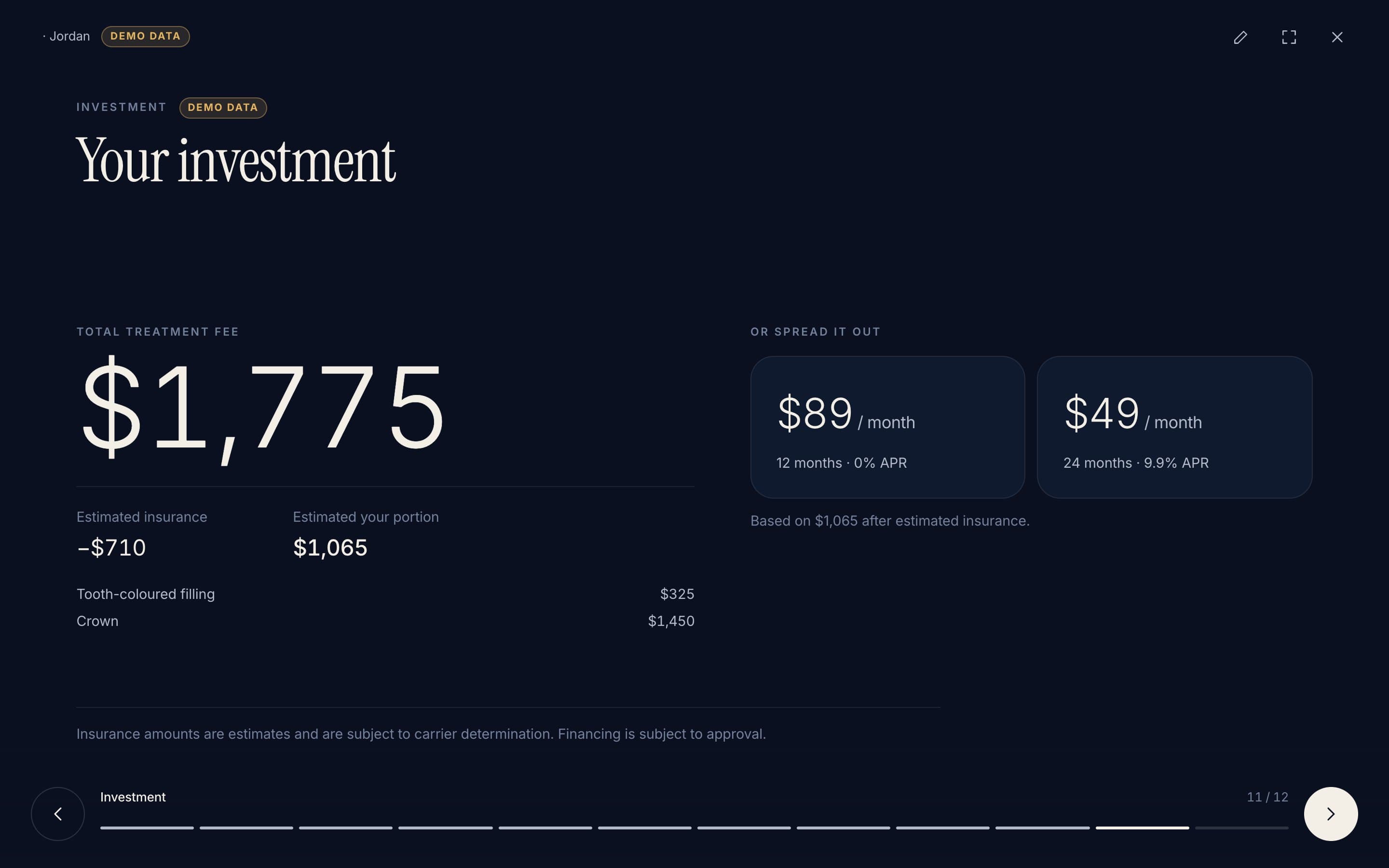
Investment — Fees, estimates and financing — exactly as the reviewed plan states.

Clinical safety

Persuasive because it’s honest.

Patients say yes when they understand. CaseAura is built to inform, never to pressure — and to keep the clinician in charge of every word.

A clinician approves every presentation

Nothing reaches a patient until a clinician signs off. Any later edit clears the approval.

Every number traces to the report

Tap a fee or a tooth to see exactly where it came from in the original Dentrix report.

Nothing is guessed

Unclear tooth numbering, conflicting totals and alternative cases are always put to a person to decide.

Read on your device

Imported reports are processed in the browser in front of you, not uploaded for parsing.

Possibilities, not promises

Progression is shown as “may”, results are labelled as simulations, and insurance amounts as estimates.

Your wording, your approval

Procedure explanations come from your practice’s approved copy — not from an AI inventing clinical claims.

CaseAura

Pilot program

Bring CaseAura to your practice.

We’re working with a small group of practices and groups that use Dentrix. Tell us about your practice and we’ll set up a walkthrough.